





Capy vs GitHub Copilot
Where each coding agent runs, what happens after a pull request opens, and how each one bills.

GitHub Copilot cloud agent (formerly Copilot coding agent) and Capy both take an engineering task from GitHub, write and test code in the cloud, and hand back a pull request.[1][2] They’re built around different jobs. GitHub Copilot folds cloud coding into GitHub’s own product: one Copilot in the cloud experience across github.com, GitHub Mobile and local clients, billed per seat plus AI credits and compute.[3][4][5] Capy is a platform for running coding agents on any model, across isolated cloud machines and your own computer, with unlimited members on every plan and a pull request loop where the thread that opened the PR also fixes failing CI, answers review feedback and resolves conflicts.[6][7][8]
Pick GitHub Copilot if your team wants one GitHub-native surface across IDEs, GitHub Mobile and Azure DevOps, or depends on Windows and self-hosted GitHub Actions runners. Pick Capy as a Copilot cloud agent alternative if you work on GitHub.com, run parallel threads with Captains and subagents, and want plans with no per-seat fee where you can plug in your existing Copilot subscription.
Every fact about either product below comes from its own docs, checked on November 20, 2026. The numbers in brackets link to the sources at the end.
GitHub folded Copilot coding agent into Copilot in the cloud
Copilot cloud agent was formerly known as Copilot coding agent. Since April 2026 it can work on a branch without opening a pull request right away, generate an implementation plan for your approval before writing code, and run deep research sessions on a codebase. You open a pull request when you’re ready, or ask for one in the prompt. It is available on all paid Copilot plans, and on Copilot Business and Enterprise an administrator has to enable it.[1]
Later in 2026, GitHub merged Copilot Chat on github.com, Copilot Chat in GitHub Mobile and Copilot cloud agent into one experience with one policy, called Copilot in the cloud.[3][4] Since October 28, 2026, that experience is available to users on paid Copilot plans, while Copilot Free users keep the older Copilot Chat.[4]
Entry points stay inside GitHub and the tools connected to it. You can start from github.com/copilot, the Copilot panel in a file, issue or pull request, the GitHub dashboard, or the Agents tab in a repository, and move the same session between web, GitHub Mobile and local clients (the Copilot app, VS Code and Copilot CLI) while steering Copilot along the way.[4] Copilot cloud agent also integrates with Microsoft Teams, Slack, Linear, Azure Boards and Jira.[15]
Capy connects to GitHub.com through the Capy GitHub App
Capy is a platform for running coding agents on any model across cloud machines and your own devices, built as agent swarms for your engineering team.[6] You start a thread from the Capy web or desktop app (macOS, Windows and Linux), by mentioning @Capy in Slack, by delegating a Linear issue, or through the API.[6]
The Capy GitHub App gives threads access to your repositories on GitHub.com. You pick which repositories the installation covers, and one Capy organization can link any number of GitHub organizations and personal accounts. GitHub Enterprise Server and other git hosts aren’t supported.[2]
Once linked, Capy pushes branches, opens pull requests and acts on CI results, reviews, comments and merges.[2] By default, your own GitHub account authors commits, pushes and opens pull requests with Capy’s bot as co-author, and signed commits are available; you can switch authorship to the capy-ai[bot] app if you prefer.[2] Mentioning @capy in a pull request comment routes your message to the thread that owns the pull request (or starts a new one), and commenting @capy review triggers a review.[2]
Every thread works on its own branch and never pushes to the base branch, the default branch, main, master, develop or release/*.[7] When a larger change belongs in several dependent pull requests, a thread can build a stack, using GitHub’s native stacked pull requests when a repository has them turned on.[7]
Copilot runs in sandboxes or Actions, while Capy gives each thread a Linux VM
In Copilot in the cloud, a session runs in one of three environments: Cloud (a cloud sandbox), GitHub Actions or Remote (a custom environment you register).[4] Cloud is the default where you can choose. Each cloud sandbox is an isolated Linux environment GitHub hosts: Copilot clones each repository into it, runs commands and tests there, and lets you run several sessions in parallel without staying connected. A stopped session keeps a snapshot so you can resume it, and outbound network access follows the Copilot firewall allowlist.[13]
Scope and retention depend on which environment you pick. Cloud sandbox sessions can span repositories inside one organization and retain data for the life of the account, while GitHub Actions sessions require a repository, make changes in that single repository and retain chat data for 28 days.[4] Choose Actions when a repository depends on customizations that only work there: setup steps in copilot-setup-steps.yml, larger or self-hosted runners, or a Windows development environment.[13]
Capy gives each cloud thread its own Firecracker microVM running Ubuntu 24.04 with its own Linux kernel, isolated from every other machine.[9] The default Large machine has 4 vCPU and 16 GB of memory at $0.40 an hour, and sizes scale up to Hyper (16 vCPU and 64 GB) on Max and Enterprise, or Big Guy (16 vCPU and 128 GB) on request. You pay only while a machine is awake: it sleeps about 2 minutes after the thread stops working, its disk survives sleep, and a background command can run up to 6 hours. Plans allow up to 8 Large cloud machines awake at once on Lite, 32 on Pro and 64 on Max.[9]
When work needs your local tools and credentials, the Capy desktop app runs a thread in a folder on your own computer and can move it to a cloud machine and back.[16] For multi-part tasks, Capy adds orchestration on top of individual threads: a thread can split work across subagents (each a full child agent with its own conversation and usually its own machine, up to three levels deep), and a Captain runs as a long-lived agent that starts a crew of threads, reads their reports and brings you only what needs you.[10][11]
Capy’s owning thread stays with the PR through CI and review
In Capy, the thread that opened a pull request stays attached to it: it fixes failing CI, answers review feedback, resolves merge conflicts and wraps up after the merge.[7]
Capy’s review agent reads the diff in a real checkout at the pull request’s exact head and posts inline GitHub comments, each carrying a severity, a confidence and a file and line, while enforcing the conventions in your AGENTS.md files.[17] Re-reviews are incremental. When a Capy thread owns the pull request, it triages every review round and fixes high-severity findings before it reports the pull request ready.[17]
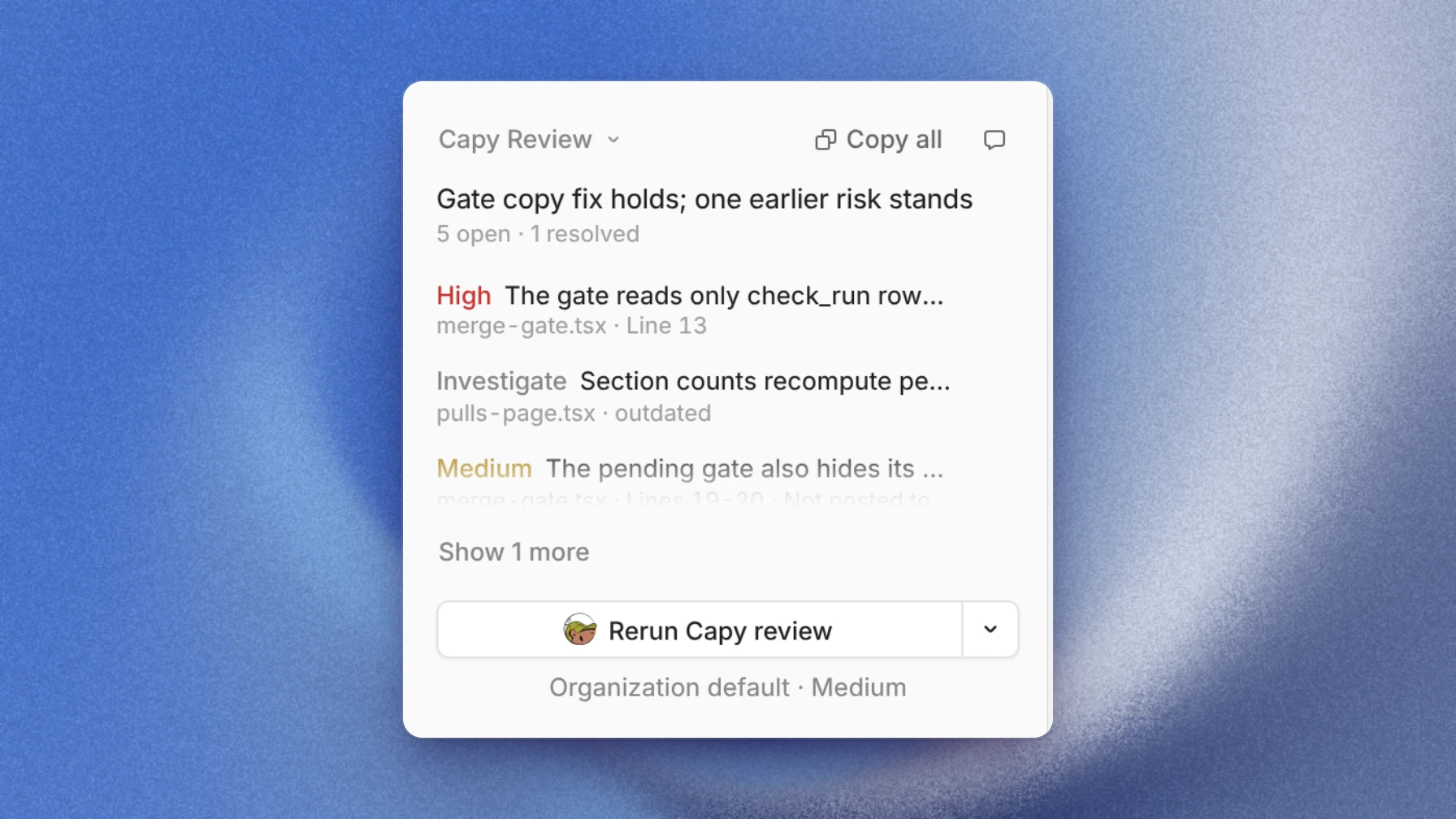
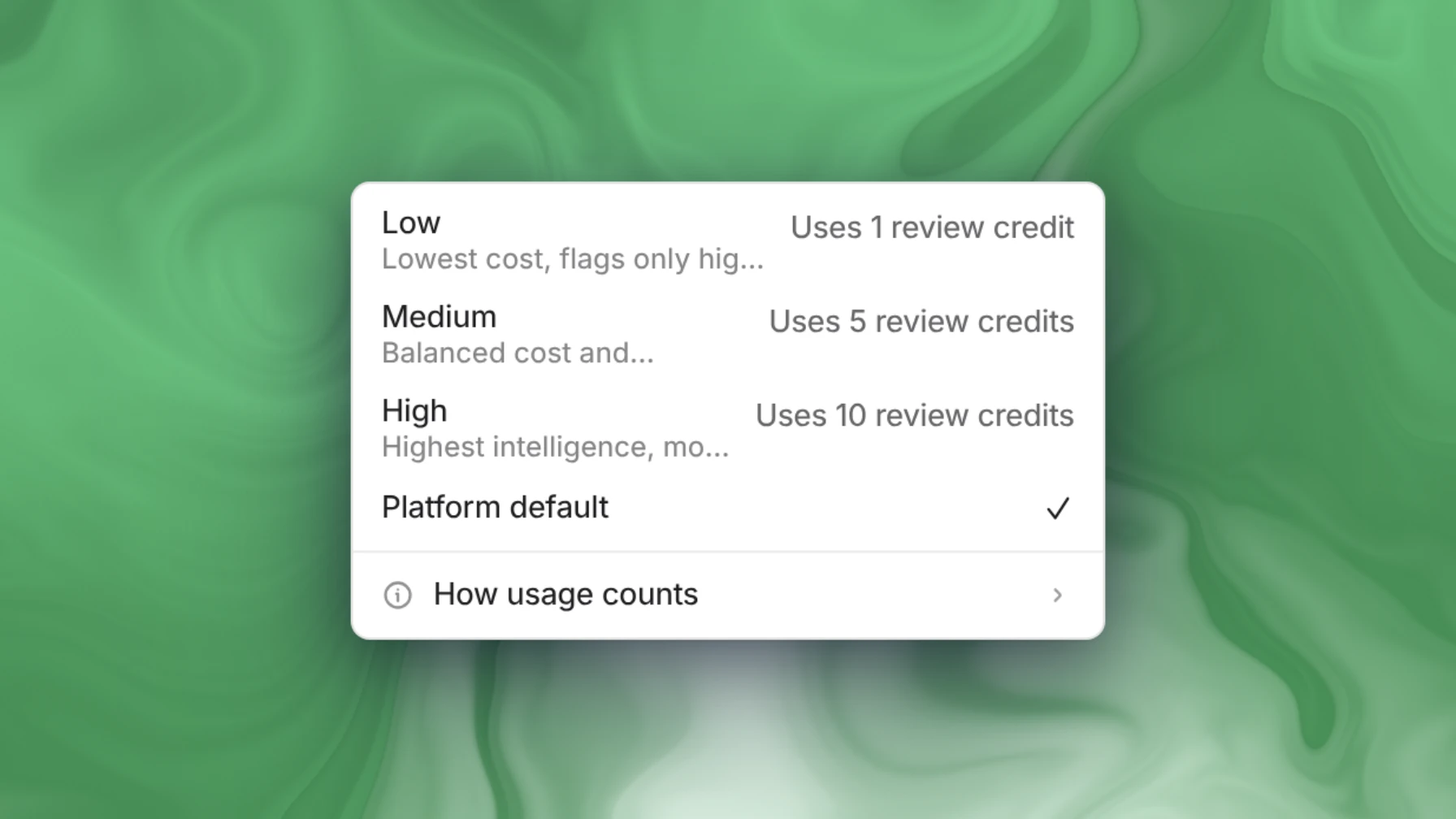
You configure each repository to review Off, Once or on Every push in Settings → Review, or start a round anytime by commenting @capy review.[17] Flex is the default mode: a pull request’s first review runs at Medium effort (5 review credits) and follow-ups run at Low (1 credit), with High available at 10 credits.[17]
GitHub pairs its agent with Copilot code review, available on all paid plans across GitHub.com, GitHub CLI, GitHub Mobile, VS Code, Visual Studio, Xcode, JetBrains IDEs and Azure DevOps.[14] On Business and Enterprise, members without a Copilot license can use code review on GitHub.com when an admin enables it.[14] Since November 17, 2026, Adaptive effort can choose Lite, Balanced or Max per pull request while Balanced stays the default, secret detection in reviews is in public preview, and Copilot code review for Azure DevOps is generally available.[18] Copilot code review can also pass suggestions to Copilot cloud agent, which opens a new pull request against your branch with the fixes (in public preview).[14]
Copilot combines seats, AI credits and compute, while Capy has no seats
As of June 1, 2026, every Copilot plan bills on GitHub AI Credits consumed ($0.01 per credit), and Copilot code review consumes GitHub Actions minutes in addition to AI credits.[19][12] Individual plans are Copilot Pro at $10 a month (1,500 AI credits in total), Pro+ at $39 (7,000 credits) and Max at $100 (20,000 credits).[5] Organization plans bill per granted seat: Copilot Business is $19 per seat a month (with 1,900 AI credits per user pooled across the organization) and Copilot Enterprise is $39 per seat a month (3,900 pooled credits per user).[5][12] Unused credits don’t carry over, and on Business and Enterprise additional usage past the pool stays on by default at published per-credit rates unless an admin turns it off.[12]
Compute and code review add separate meters. In Copilot in the cloud, cloud sandboxes and GitHub Actions draw on the same monthly GitHub account compute allowance, separate from AI credits.[4] Past that allowance, a cloud sandbox costs $0.000024 per vCPU second and $0.000003 per GiB second of memory, plus $0.005 per GiB month for snapshot storage of stopped sessions.[20] For Copilot code review, GitHub estimates an average of about $0.25 per review at Lite, $1.50 at Balanced and $10 at Max, excluding the GitHub Actions minutes spent on agentic context gathering and tool use.[14]
Capy has no per-seat price and includes unlimited members on every plan.[8] Plans are Free, Capy Lite at $20 a month, Pro at $100, Max at $200 and custom Enterprise, with 20% off on annual billing. Each plan includes monthly allowances that reset every month: Free includes 100 review credits; Lite includes 30,000 machine minutes, 250 review credits and $20 of model usage; Pro includes 150,000 machine minutes, 1,250 review credits and $100 of model usage; Max includes 300,000 machine minutes, 2,500 review credits and $200 of model usage.[8][17] A Large cloud machine uses 4 machine minutes a minute, and each review credit covers both the model and the machine: 1 credit at Low effort, 5 at Medium and 10 at High.[8][17]
Past included usage, models on Capy credits bill at each provider’s list price with no markup.[8] Reviews past the monthly allowance bill Capy credits and never run on connected subscriptions or API keys.[17][8]
You can run Capy threads on your GitHub Copilot subscription
Moving work into Capy doesn’t mean abandoning a Copilot plan your team already pays for. In Settings → Models (Add a connection → Subscriptions), you can connect a GitHub Copilot subscription and run the models its plan includes (Claude, GPT and Gemini models) against your Copilot plan’s limits instead of your Capy balance.[8]
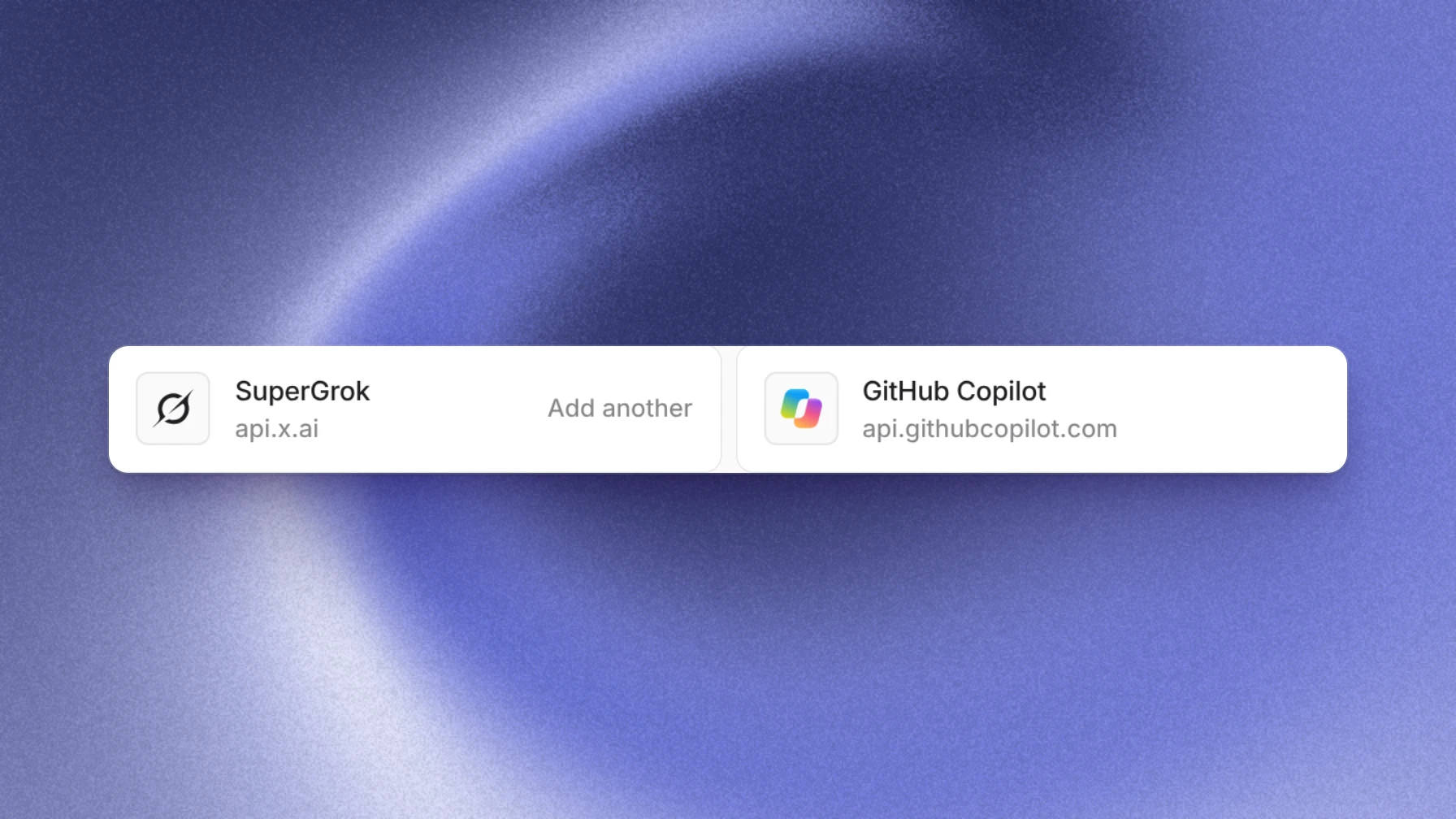
GitHub Copilot takes one account per person, so each teammate connects their own.[8] Your own subscriptions and API keys work on every Capy plan, the Free plan included, with no charge or markup on their tokens, and Codex and SuperGrok subscriptions connect the same way.[8] Cloud machine time still bills Capy credits, and automated PR reviews always draw on review credits or Capy credits.[8][17]
Pick GitHub Copilot for IDE workflows, Azure DevOps or Actions runners
GitHub Copilot is the better choice when your team wants coding and review inside desktop IDEs or across Microsoft’s stack. Copilot code review runs in VS Code, Visual Studio, Xcode, JetBrains IDEs, GitHub CLI and GitHub Mobile alongside GitHub.com and Azure DevOps, where it is generally available.[14][18] The GitHub Copilot app also added support for Azure DevOps repositories and GitHub Enterprise Server accounts in November 2026, although GitHub’s Copilot plans page states that Copilot isn’t currently available for GitHub Enterprise Server.[21][5]
Copilot is also the straightforward fit when cloud builds depend on Windows development environments, larger or self-hosted runners, or existing copilot-setup-steps.yml steps on GitHub Actions.[13]
Teams that want one GitHub-managed policy across web, Mobile and local sessions, outbound network access governed by the Copilot firewall allowlist, and built-in integrations with Microsoft Teams, Azure Boards and Jira get all of those inside Copilot.[3][4][13][15]
You can try Capy beside Copilot on the same repositories
Both tools work on GitHub.com branches and pull requests independently, so you can compare them on your own codebase before changing anything. Install the Capy GitHub App on a few repositories and link your GitHub organization or personal account.[2]
Connect your GitHub Copilot subscription in Settings → Models so your threads run on the models your Copilot plan already includes.[8] In Settings → Review, set those trial repositories to review Once or on Every push while leaving Copilot code review on, or comment @capy review when you want a round.[17]
Give Capy and Copilot cloud agent the same issue on separate branches, and compare the pull requests they produce.[7] When you’ve seen how both behave on your repositories, decide which ones stay in Copilot and which move to Capy.
Frequently Asked Questions
Is Capy a GitHub Copilot cloud agent alternative?+
Does Capy work with GitHub?+
How do Capy and GitHub Copilot pricing compare?+
Can I use my GitHub Copilot subscription in Capy?+
Do Capy and GitHub Copilot support GitHub Enterprise Server or other git hosts?+
Can I run Capy and GitHub Copilot on the same repository?+
When is Copilot the better choice?+
Sources
Checked against each product's own docs and pricing on November 20, 2026.
- 1GitHub Changelog: Research, plan, and code with Copilot cloud agent
- 2Capy docs: GitHub
- 3GitHub Changelog: Upcoming changes to Copilot policies and billing
- 4GitHub Docs: Copilot on GitHub.com and GitHub Mobile
- 5GitHub Docs: Plans for GitHub Copilot
- 6Capy docs: Welcome
- 7Capy docs: Pull requests
- 8Capy docs: Models and pricing
- 9Capy docs: Machines
- 10Capy docs: Subagents
- 11Capy docs: Captains
- 12GitHub Docs: Usage-based billing for organizations and enterprises
- 13GitHub Docs: About cloud sandboxes for GitHub Copilot
- 14GitHub Docs: Copilot code review
- 15GitHub Docs: Copilot integrations
- 16Capy docs: Desktop app and devices
- 17Capy docs: Reviews
- 18GitHub Changelog: Copilot code review: Adaptive effort, secret detection, and more
- 19GitHub Changelog: Updates to GitHub Copilot billing and plans
- 20GitHub Docs: Billing for cloud and local sandboxes
- 21GitHub Changelog: GitHub Copilot app, Microsoft Ignite releases
Spotted something out of date? Tell us at support@capy.ai.
More comparisons
- 1Code alternatives for parallel coding agents1Code’s repository is archived and 1code.dev is offline. How Capy, Conductor, Devin Desktop, Codex, Claude Code desktop and Cursor replace it.
- Aider alternativesSeven coding agents compared with Aider: where each one runs, how each one charges, and when Aider is still the right tool.
- Best AI code review toolsEleven AI pull request reviewers compared on git hosts, automatic reviews, fix loops and pricing, from each product’s own docs.
- Best AI coding agents in 2026: 12 tools comparedWhere twelve hosted and open-source AI coding agents run, how each charges, and when to pick each one.
- Best cloud coding agents in 2026How Capy, Devin, Cursor, Codex Cloud, GitHub Copilot, Kiro and Jules handle cloud machines, parallel work, pull requests, testing and pricing.
- Capy vs AmpWhat Amp is after its Sourcegraph spin-out, how both run parallel cloud agents, and how their pricing, models and pull request loops compare.
- Capy vs CodeRabbitWhere each one reviews, how each one charges, and what happens to a finding after it posts.
- Capy vs CodexWhere each coding agent runs, which models it uses, and how each one bills.
- Capy vs ConductorWhere each one runs your agents, how they handle GitHub pull requests, and how each scales past a single Mac.
- Capy vs DevinHow each one runs teams of coding agents, where they execute, what they cost, and which git hosts and models each supports.
- Cursor alternatives for cloud agentsHow Capy, Codex, GitHub Copilot and Devin run cloud coding agents, what each costs, and when to stay with Cursor.
- Roo Code alternativesSeven coding agents that replace Roo Code after its May 2026 shutdown, across VS Code, terminals and cloud machines.
- Capy for GitHubHow Capy works with GitHub.com, from the first branch to CI, reviews and conflicts.
Run coding agents in parallel
Install the Capy GitHub App, connect your Copilot plan, and run cloud threads with no per-seat price.


- GitHub folded Copilot coding agent into Copilot in the cloud
- Capy connects to GitHub.com through the Capy GitHub App
- Copilot runs in sandboxes or Actions, while Capy gives each thread a Linux VM
- Capy’s owning thread stays with the PR through CI and review
- Copilot combines seats, AI credits and compute, while Capy has no seats
- You can run Capy threads on your GitHub Copilot subscription
- Pick GitHub Copilot for IDE workflows, Azure DevOps or Actions runners
- You can try Capy beside Copilot on the same repositories
- FAQ
- Sources