




Capy vs Amp
What Amp is after its Sourcegraph spin-out, how both run parallel cloud agents, and how their pricing, models and pull request loops compare.

Amp and Capy both run coding agents in isolated cloud machines, support multiple models, and accept your own API keys and subscriptions with no markup on standard plans.[1][2][3][4] Amp is a coding agent and development environment from Amp Frontier Corporation (spun out of Sourcegraph in December 2025) that runs threads in cloud orbs, self-hosted orbs or local runners across desktop apps, phone apps and a CLI.[5][6][7][8] Capy is a platform for running coding agents in cloud Linux VMs, shipping GitHub pull requests and fixing findings from its own review agent.[9][3][10][11]
Pick Amp if your code lives on GitLab or Bitbucket, you want a CLI, phone apps or self-hosted orbs, or per-person tiers fit your team. Pick Capy if you ship on GitHub, want one organization plan with unlimited members, want model usage included in that plan instead of per-person tiers, and want built-in pull request review that reports back to the thread that owns the PR.
Every fact about either product below comes from its own docs, checked on November 20, 2026. The numbers in brackets link to the sources at the end.
Amp is its own company now, and it runs agents in cloud orbs
Amp is no longer Sourcegraph’s product. Announced December 2, 2025, Amp spun out into Amp Frontier Corporation, calling itself an independent research lab and stating that Amp is profitable.[5] Sourcegraph confirmed the split: Sourcegraph kept code search under CEO Dan Adler, while co-founders Quinn Slack and Beyang Liu founded Amp Inc. with the Amp team.[12]
Amp describes itself as “a coding agent and development environment built for the frontier”.[6] It is multi-model, runs agents in cloud orbs, saves and shares threads, and ships Mac, Windows, Linux, iPhone, iPad and Android apps plus a CLI.[6] Its VS Code and Cursor extensions shut off on March 5, 2026 (announced February 19, 2026), and Amp told users to switch to the Amp CLI.[13]
Capy is a platform for running coding agents in the cloud and locally.[9][18] Each thread keeps working after you close your laptop and wakes itself when CI finishes, a review lands or a pull request merges.[9] The Capy desktop app for macOS, Windows and Linux also runs threads in a local folder with your existing tools and credentials, and moves threads to a cloud machine and back.[18]
Both give every agent its own cloud machine
Every new Amp thread spawns its own orb, a fresh machine with your repository cloned, tools installed and the agent inside; agents can spawn other agents in fresh orbs and pass files back and forth.[1] Amp also runs threads locally via runners (amp --no-tui) and on Docker, E2B, Kubernetes, Modal and other infrastructure via amp orb provider.[8][7]
For multi-agent work, Puck is a personal assistant inside Amp that starts agents, monitors them and sends messages, such as starting one agent per script in a repository and summarizing what they found.[19] Spaces, launched November 6, 2026, gives you and your teammates one agent that spawns and coordinates other agents.[20] In an Amp workspace, threads are visible to everyone by default, you can tag a teammate onto a live orb to pair, and workspace plugins, skills, secrets, MCP servers and model keys apply to every member.[21]
Every Capy cloud thread runs in its own Firecracker Linux microVM on Ubuntu 24.04.[3] Concurrency follows your plan: Lite runs up to 8 Large machines at once, Pro 32 and Max 64.[3] Any thread can split work across parallel child agents, each with its own conversation and usually its own machine, up to three levels deep.[22] For ongoing work, a Captain is a long-lived agent that starts threads, reads their reports, keeps a digest and tells you only what needs you.[23]
Capy prices the team, and Amp prices each person
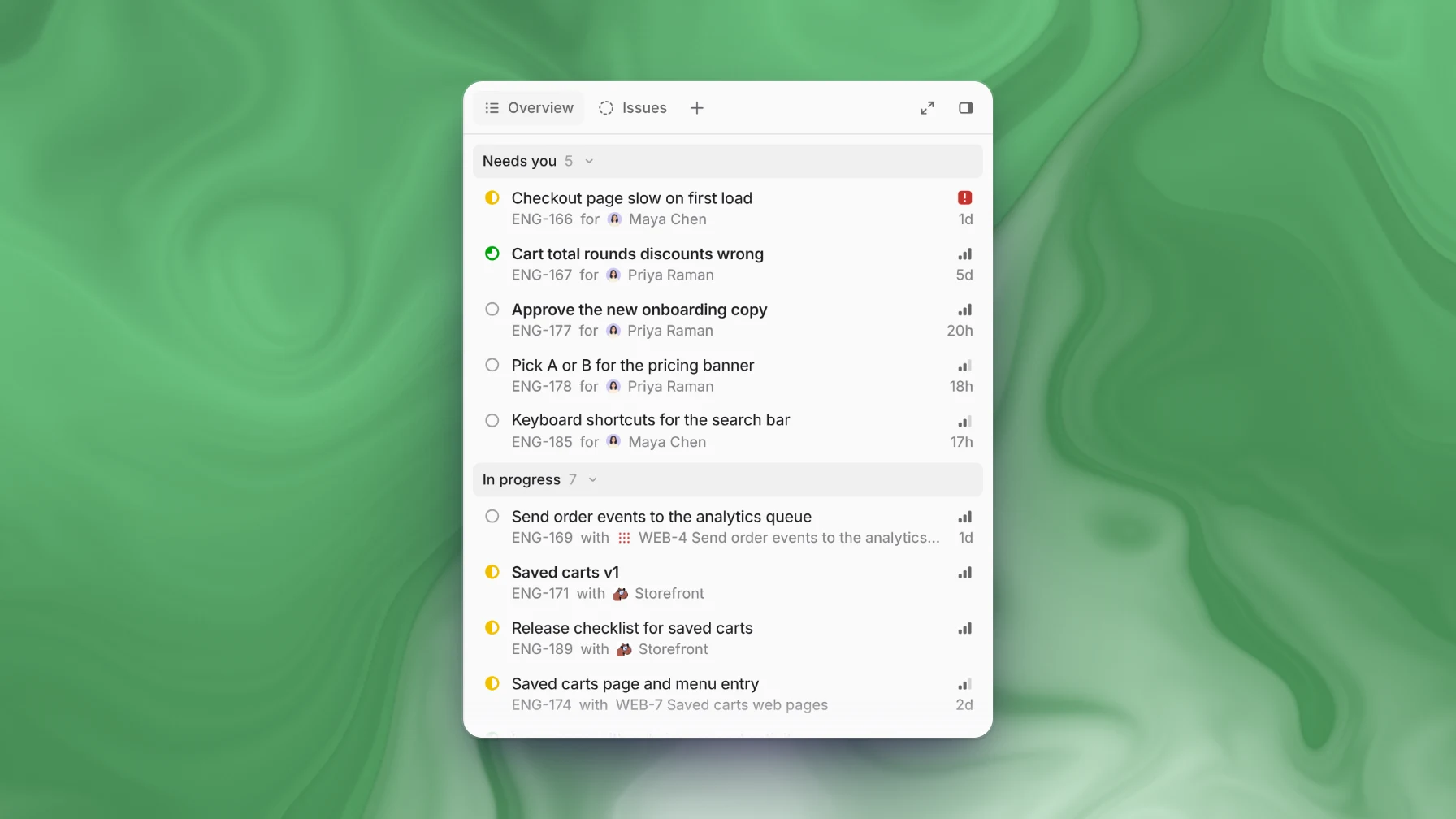
Capy charges one organization plan with unlimited members and no per-seat price: Free, Capy Lite ($20 a month), Capy Pro ($100), Capy Max ($200) and custom Enterprise, with 20% off annually and one shared balance.[4] Monthly allowances reset without rollover: Lite includes 30,000 machine minutes, 250 review credits and $20 of model usage; Pro includes 150,000, 1,250 and $100; Max includes 300,000, 2,500 and $200.[4] Free includes 100 review credits and runs local threads with your own subscriptions and keys at zero machine time.[4]
One Capy machine minute equals one minute on a 1 CPU / 4 GB machine; the default Large machine (4 vCPU, 16 GB) costs $0.40 an hour and uses 4 machine minutes a minute (7,500 minutes on Large for Lite), while Small starts at $0.10 an hour.[3][4] You pay while a machine is awake plus a 2-minute wind-down, and sleeping machines cost nothing.[3]
Amp’s Teams workspace adds no extra charge; each member keeps their own tier.[2] Hobby is free with pay-as-you-go orbs, unlimited self-hosted orbs and runners, and your own subscriptions and keys.[14] Megawatt is $20 a month ($10 for students and teachers) for $20 of Amp-served agent usage plus 750 hours (45,000 minutes) of a1.small orbs; Gigawatt is $200 a month for $200 of agent usage plus 1,000 hours of a1.xxlarge orbs.[2][14] Included orb time stays per person and unpooled, purchased credits pool across the workspace, and SAML/OIDC SSO needs at least one paid member.[2] Enterprise is custom with pooled credits, no paid seats, and a possible Amp fee on tokens your own connections serve.[14][16]
Amp orbs bill by the minute from a1.tiny (1 CPU, 2 GB, $0.08 an hour) to a1.3xlarge (16 CPU, 44 GB, $2.13 an hour, Gigawatt and Enterprise only), defaulting to a1.medium (4 CPU, 8 GB, $0.33 an hour), and pause at no cost 5 minutes after the agent stops or 20 minutes after your last interaction, whichever is later.[24] Self-hosted orbs are free on Hobby, Individual and Teams, local runners are free, and included Amp usage resets monthly without rollover.[24][25][2]
On standard plans, both pass models through with zero markup: Capy charges nothing on connected subscriptions or API keys across every plan including Free and bills Capy credits at list price, while Amp adds no fees, limits or API markup for individuals and non-enterprise workspaces.[4][2]
Capy runs Gemini, Kimi and GLM models on credits or your own keys
Yes: Capy runs Google’s Gemini, Moonshot AI’s Kimi and Z.ai’s GLM models on Capy credits at providers’ list prices, or through your own keys and coding plans.[4] Capy includes Gemini 4 Carbon, Gemini 4 Argon, Gemini 4 Neon, Gemini 4 Hydrogen and Gemini 3.8 Flash; Kimi K3.1 Pro and Kimi K3; and GLM-5.3 and GLM-5.3-Flash, alongside Claude, GPT, Grok, DeepSeek, Qwen and MiniMax.[4]
You can connect subscriptions (Codex, GitHub Copilot, SuperGrok), API keys (Anthropic, OpenAI, xAI, Google, Meta), gateways (Vercel AI Gateway, OpenRouter, Cloudflare AI Gateway, Ollama Cloud, Amazon Bedrock and more), coding plans (OpenCode Go, Kimi Code, GLM Coding Plan) and any OpenAI-compatible custom endpoint, all without a paid plan, and Capy never charges for tokens those connections serve.[4] The picker shows a subscription icon, a key badge or no badge for Capy credits; each thread uses the owner’s connections in order, then the organization’s, then Capy credits.[4]
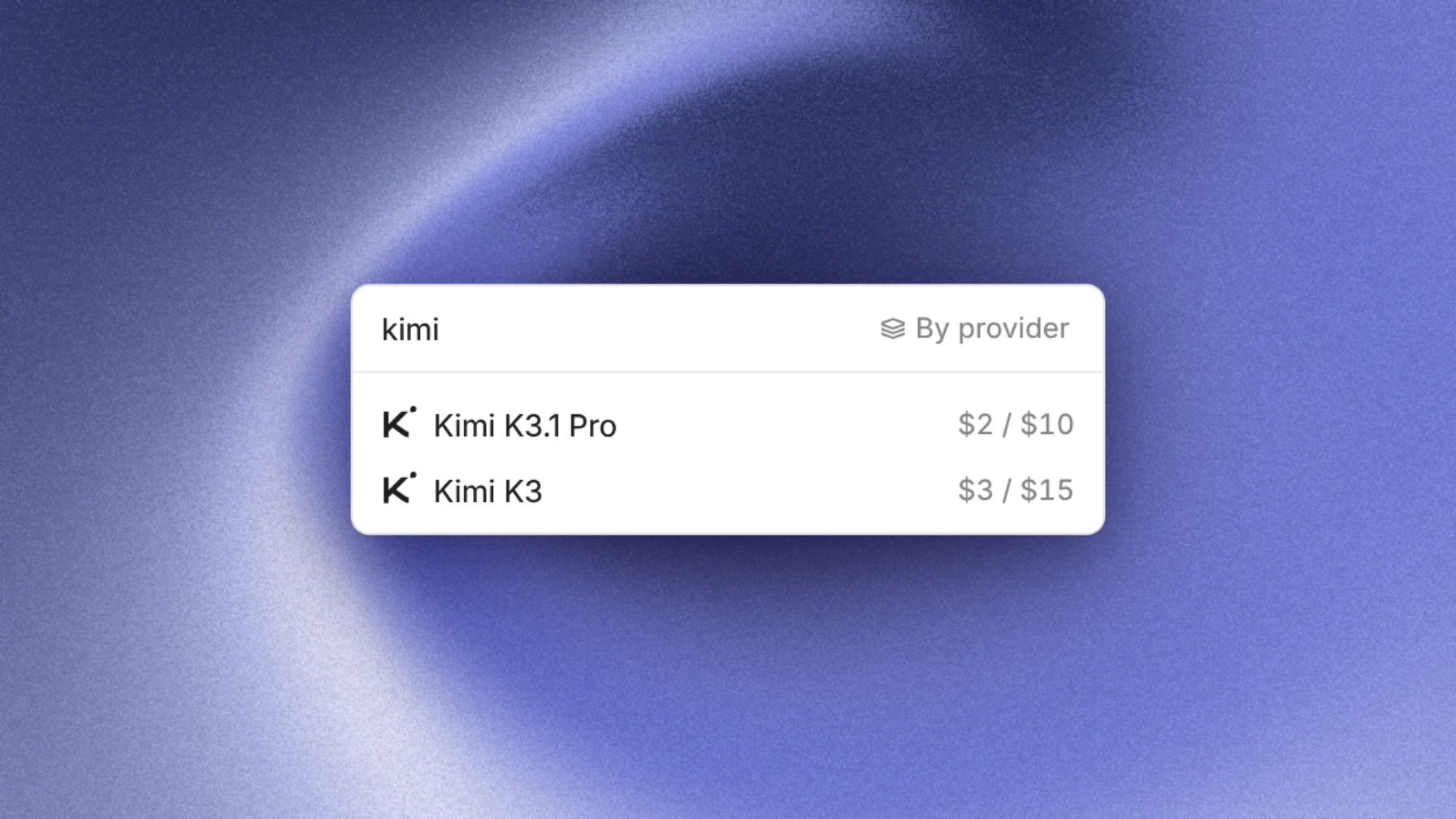
On November 12, 2026, Amp replaced “Dial” modes with a model selector for picking model and effort per thread, switching mid-thread, and seeing whether a subscription, key or Amp credits pays.[26][15] Threads start on “Staff Pick” (Claude Opus 5.5 today); top models include Claude Opus 5.5, GPT-6 Astra, GPT-6.1 Sol and GLM-5.3-Flash, and the catalog lists Gemini 4 Argon, Carbon, Hydrogen and Neon.[15][27] Amp model routing connects API keys (Anthropic, Google AI Studio, Meta AI, OpenAI, xAI), subscriptions (ChatGPT, SuperGrok, GitHub Copilot), cloud platforms (Amazon Bedrock, Google Cloud Agent Platform, Microsoft Foundry) and gateways (OpenRouter, Vercel AI Gateway, Cloudflare AI Gateway, ngrok AI Gateway, Ollama Cloud, OpenCode Go, and any OpenAI- or Anthropic-compatible custom URL).[16]
Capy reviews your pull requests, and the thread that owns the PR fixes high-severity findings
Capy ships code as GitHub pull requests, and the owning thread fixes failing CI, answers feedback, resolves conflicts and wraps up after merge.[10] A pull request you open yourself on GitHub gets an owning thread once a Capy thread pushes to it or someone mentions @capy on it.[10] Capy’s review agent checks GitHub.com PRs per repository (Off, Once or Every push), on @capy review, or from the dashboard, reading the diff in a real checkout at the exact head and posting inline GitHub comments.[11] When a Capy thread owns the PR, it triages every review: marking false positives irrelevant, confirming fixed findings resolved and fixing high-severity findings before reporting the PR ready.[11]
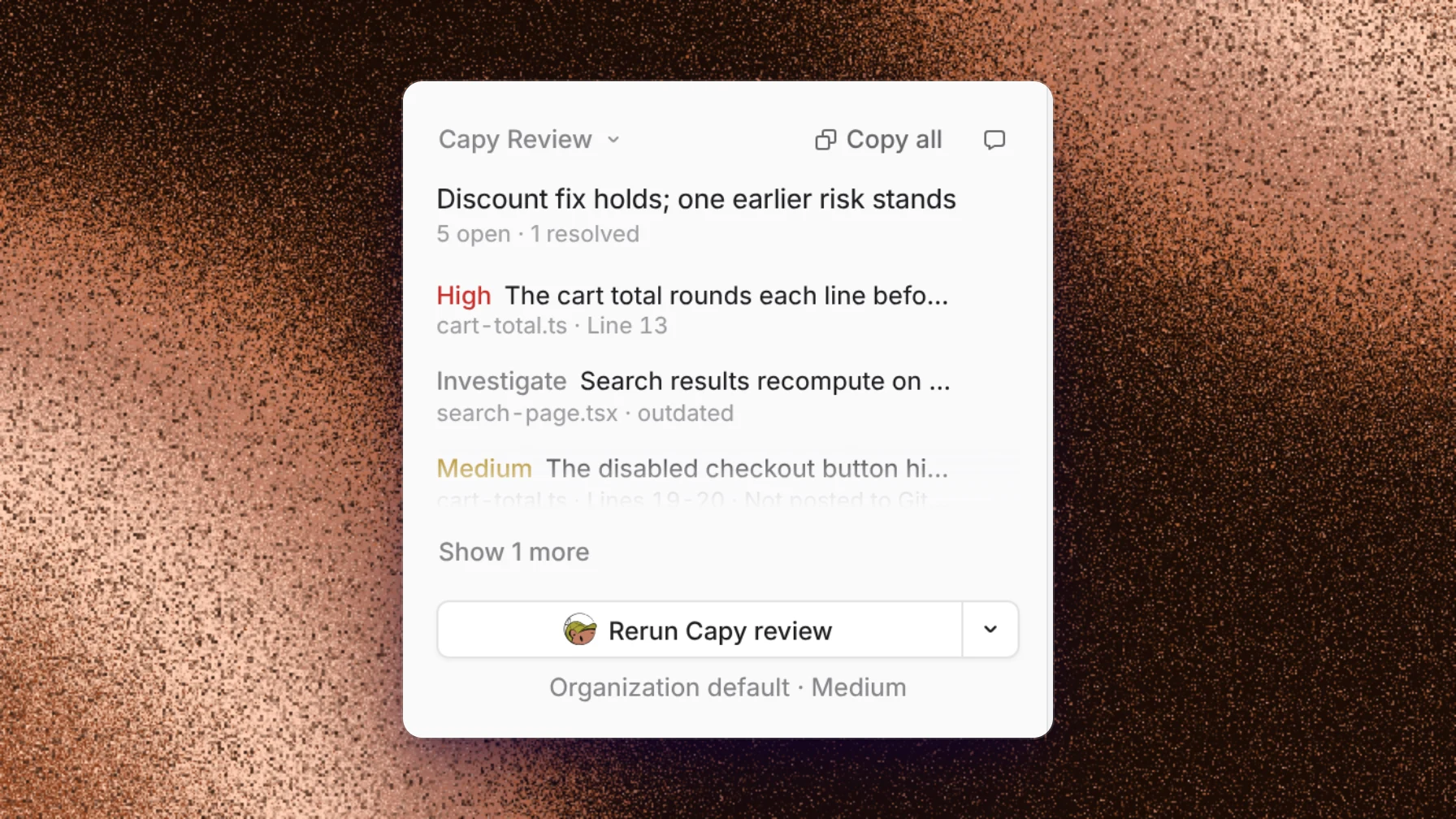
Reviews spend monthly review credits first, covering both model and machine: 1 credit at Low effort, 5 at Medium and 10 at High.[11][4] Flex is the default (Medium first, Low on follow-ups); past the allowance, reviews bill Capy credits and never run on connected subscriptions or keys.[11][4]
Amp connects to GitHub via a GitHub App to clone, push branches and open pull requests as you.[17] Agents can subscribe to a PR’s comments, reviews and CI results so failures and questions return to the same thread, and Amp can start a fresh orb for every new GitHub issue or PR.[28] Amp also offers a built-in review prompt alongside update-base and refactor-commits prompts.[19]
We haven’t published a head-to-head measurement of which one writes better code or finds more bugs.
Pick Amp for GitLab or Bitbucket, the terminal, your phone or your own infrastructure
Amp is the better choice off GitHub.com: orbs support GitLab (gitlab.com and self-managed), Bitbucket and other HTTPS Git hosts, while Capy works with GitHub and doesn’t support GitLab or Bitbucket.[17][29][10][11]
Amp also ships a standalone CLI, free local runners (amp --no-tui), native iPhone, iPad and Android apps alongside desktop apps, and free self-hosted orbs on Hobby, Individual and Teams.[6][8][25][7][24]
Per-person tiers also fit when only a few engineers run heavy cloud workloads: everyone else sits on Hobby in the free Teams workspace while heavy users buy Megawatt or Gigawatt, and students and teachers pay $10 a month for Megawatt.[14][2] Amp is SOC 2 Type II certified, with a zero and minimal data retention policy covering all users and workspaces.[30][14]
You can try Capy beside Amp on the same GitHub repositories
Both work on the same GitHub repositories, so you can try Capy beside Amp without disrupting your setup.[17][10]
Start on Capy’s Free plan with your own keys and subscriptions for local desktop threads and 100 monthly review credits.[4][18] Turn on automatic review (Once or Every push) for a few repositories or comment @capy review on an active PR, then try cloud threads on Lite or Pro to compare Captains, parallel child agents and the review-and-fix loop against Amp.[11][23][22][4]
Frequently Asked Questions
Is Amp still part of Sourcegraph?+
Does Capy support Gemini, Kimi or GLM models?+
How much do Capy and Amp cost for a team?+
Can Amp run agents in parallel?+
What are the alternatives to Amp Code?+
When is Amp the better choice?+
Which one writes better code or finds more bugs?+
Sources
Checked against each product's own docs and pricing on November 20, 2026.
- 1Amp: What are orbs?
- 2Amp docs: Pricing
- 3Capy docs: Machines
- 4Capy docs: Models and pricing
- 5Amp: Amp Frontier Corporation
- 6Amp docs: Introduction
- 7Amp news: Self-hosted orbs
- 8Amp docs: Runners
- 9Capy docs: Threads
- 10Capy docs: Pull requests
- 11Capy docs: Reviews
- 12Sourcegraph: Why Sourcegraph and Amp are becoming independent companies
- 13Amp news: The coding agent is dead
- 14Amp pricing
- 15Amp docs: Model selector
- 16Amp docs: Model routing
- 17Amp docs: GitHub and Git
- 18Capy docs: Desktop app and devices
- 19Amp docs: Meet Puck
- 20Amp news: Spaces
- 21Amp docs: Workspaces
- 22Capy docs: Subagents
- 23Capy docs: Captains
- 24Amp docs: Orb sizes and costs
- 25Amp news: Free Agent
- 26Amp news: Bye Bye, Dial
- 27Amp: Models
- 28Amp news: You’ve got comments
- 29Amp docs: GitLab
- 30Amp security reference
Spotted something out of date? Tell us at support@capy.ai.
More comparisons
- 1Code alternatives for parallel coding agents1Code’s repository is archived and 1code.dev is offline. How Capy, Conductor, Devin Desktop, Codex, Claude Code desktop and Cursor replace it.
- Aider alternativesSeven coding agents compared with Aider: where each one runs, how each one charges, and when Aider is still the right tool.
- Best AI code review toolsEleven AI pull request reviewers compared on git hosts, automatic reviews, fix loops and pricing, from each product’s own docs.
- Best AI coding agents in 2026: 12 tools comparedWhere twelve hosted and open-source AI coding agents run, how each charges, and when to pick each one.
- Best cloud coding agents in 2026How Capy, Devin, Cursor, Codex Cloud, GitHub Copilot, Kiro and Jules handle cloud machines, parallel work, pull requests, testing and pricing.
- Capy vs CodeRabbitWhere each one reviews, how each one charges, and what happens to a finding after it posts.
- Capy vs CodexWhere each coding agent runs, which models it uses, and how each one bills.
- Capy vs ConductorWhere each one runs your agents, how they handle GitHub pull requests, and how each scales past a single Mac.
- Capy vs DevinHow each one runs teams of coding agents, where they execute, what they cost, and which git hosts and models each supports.
- Capy vs GitHub CopilotWhere each coding agent runs, what happens after a pull request opens, and how each one bills.
- Cursor alternatives for cloud agentsHow Capy, Codex, GitHub Copilot and Devin run cloud coding agents, what each costs, and when to stay with Cursor.
- Roo Code alternativesSeven coding agents that replace Roo Code after its May 2026 shutdown, across VS Code, terminals and cloud machines.
- Capy CaptainsA long-lived agent that starts threads for the work, reads their reports, keeps a digest and tells you only what needs you.
Run coding agents on Capy
Start free on your computer with your own keys, or run cloud VMs and GitHub PR review for unlimited members.

- Amp is its own company now, and it runs agents in cloud orbs
- Both give every agent its own cloud machine
- Capy prices the team, and Amp prices each person
- Capy runs Gemini, Kimi and GLM models on credits or your own keys
- Capy reviews your pull requests, and the thread that owns the PR fixes high-severity findings
- Pick Amp for GitLab or Bitbucket, the terminal, your phone or your own infrastructure
- You can try Capy beside Amp on the same GitHub repositories
- FAQ
- Sources