





Capy vs CodeRabbit
Where each one reviews, how each one charges, and what happens to a finding after it posts.

CodeRabbit and Capy both review pull requests with AI, post findings on the lines that changed, and can push fixes for what they find.[1] They’re built around different jobs. CodeRabbit is a review product: it works across GitHub, GitLab, Bitbucket and Azure DevOps, reviews in your editor and terminal as well as on the pull request, and charges per developer.[2][3] Capy is a platform for running coding agents, and review is part of it. It reviews pull requests on GitHub.com, includes monthly review credits on every plan with no per-seat price, and when a Capy thread owns the pull request, that thread fixes high-severity findings before reporting the PR ready.[4]
Pick CodeRabbit if your code lives outside GitHub.com or the reviewer has to run inside your network. Pick Capy if you’re on GitHub.com, agents write more of your pull requests every month, and you’d rather pay per review than per seat.
Every fact about either product below comes from its own docs, checked on November 20, 2026. The numbers in brackets link to the sources at the end.
CodeRabbit covers more git hosts, and Capy reviews GitHub.com
CodeRabbit works on every major git host and in the editor, while Capy reviews pull requests on GitHub.com through the Capy GitHub App.[3][7][8] CodeRabbit connects to GitHub, GitHub Enterprise Server, GitLab, Bitbucket Cloud, Bitbucket Data Center and Azure DevOps, and it can reach servers on a private network without opening inbound access.[3] It also reviews before a pull request exists, through a VS Code extension, a JetBrains plugin in beta, and a CLI.[7]
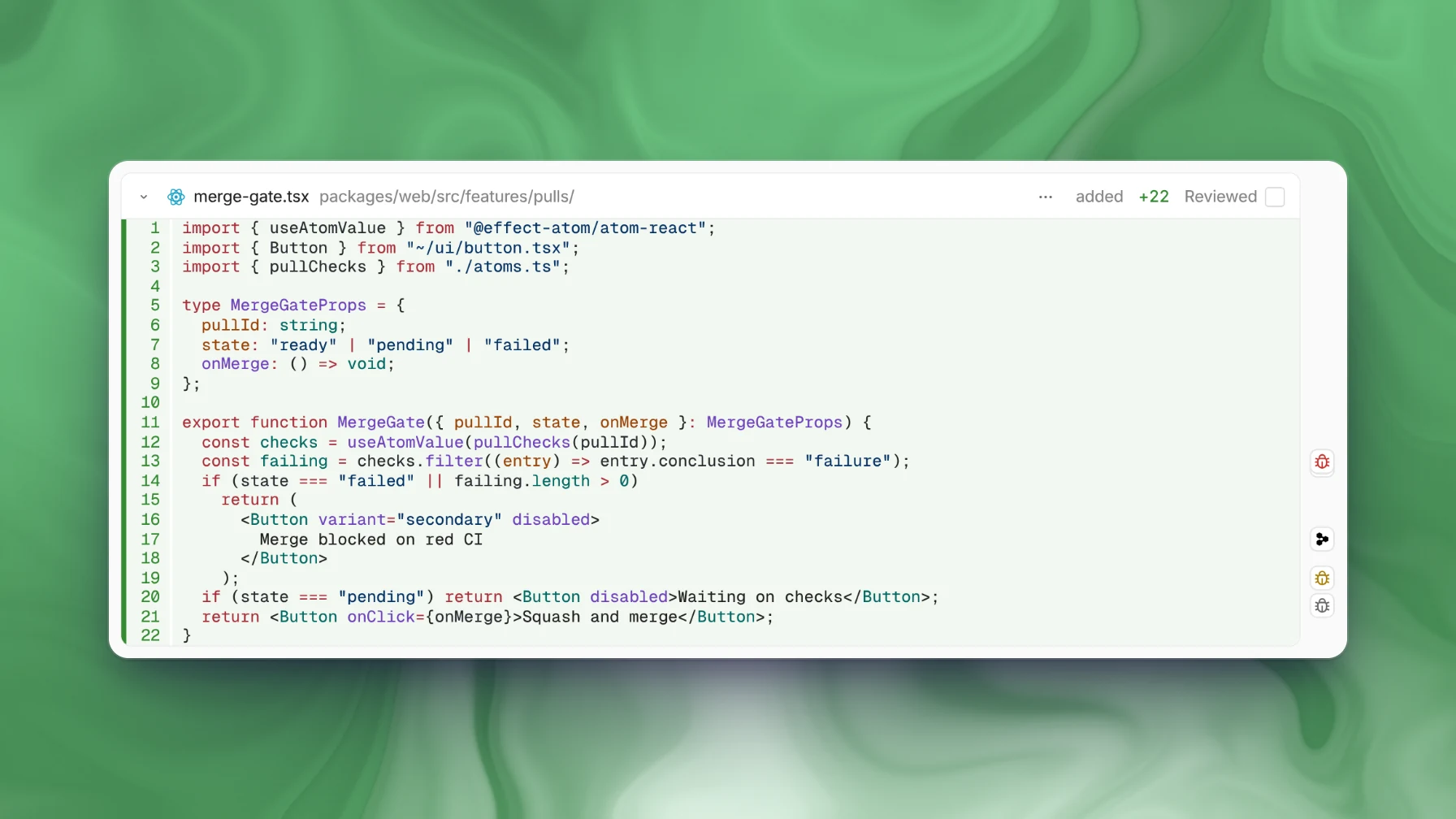
Both look past the diff.[7] Capy’s review agent reads the change in a real checkout of your repository at the pull request’s exact head, then posts findings as inline GitHub comments.[4] Each finding names a failure scenario and carries a severity, a confidence (confirmed when the code proves it, investigate when it needs a check), and a file and line.
CodeRabbit’s reviews clone your full repository into a sandboxed cloud environment, explore the codebase for context, and run specialized agents such as Review and Verification in parallel. They also run open-source linters and scanners such as Semgrep, TruffleHog and Trivy alongside the model.[9][10]
Capy bills each review, with no seats
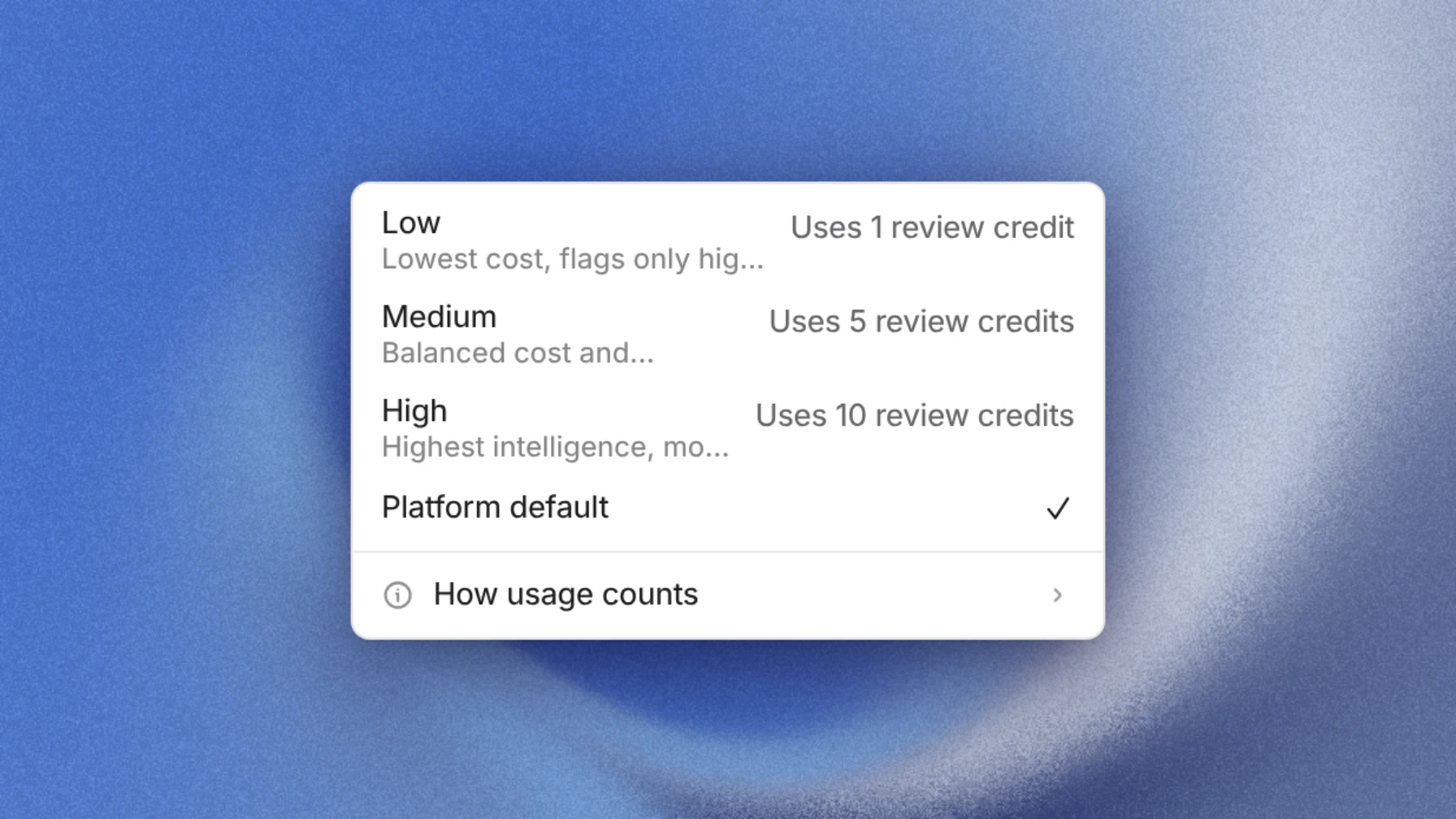
Capy charges for the reviews that run, with no seats and unlimited members on every plan, while CodeRabbit charges for the developers who open pull requests.[2] Each plan includes review credits that reset every month and don’t roll over: 100 on Free, 250 on Lite ($20 a month), 1,250 on Pro ($100), 2,500 on Max ($200) and custom on Enterprise, with 20% off on annual billing.[5] Every review uses those credits first to cover both the model and the machine it runs on, spending 1 credit at Low effort, 5 at Medium (the default) or 10 at High; under Flex, a pull request’s first review uses 5 credits at Medium and each follow-up uses 1 at Low.[4] Past the allowance, reviews bill your organization’s Capy credits at a review’s usual price, first from the plan’s monthly model usage and then from balance you add, and they never run on the subscriptions or API keys you connect in Settings → Models.[5][4]
CodeRabbit charges per developer. Essentials is $24, Team $48 and Advanced $72 per developer a month billed annually, or $30, $60 and $90 month to month, and Enterprise is priced through sales.[2] Each developer gets an hourly review allowance, 5 reviews an hour on Essentials, 8 on Team and 10 on Advanced, and usage-based reviews can pick up past it. The allowance follows the identity that opens the pull request, so CodeRabbit’s FAQ notes that if “a single coding-agent account opens every pull request, the whole organization’s review volume lands on that one identity … Adding seats does not change this.”[7]
So CodeRabbit’s bill is simple to budget for a team of developers who each open their own pull requests. Capy’s follows how many reviews run and how hard each one looks, whoever or whatever opened the pull request.
The thread that owns the PR fixes high-severity findings
On any pull request a Capy thread owns, that thread fixes high-severity findings before reporting the PR ready. A thread owns a pull request when it opened the PR or was the last thread to push to it. A person’s PR on GitHub has no owner until a thread pushes to it or someone mentions @capy on it. Capy sends each review to the thread that owns the pull request, and that thread triages every round: it marks false positives irrelevant, confirms fixed findings as resolved, and fixes high-severity findings. You can override any of those calls.[4]
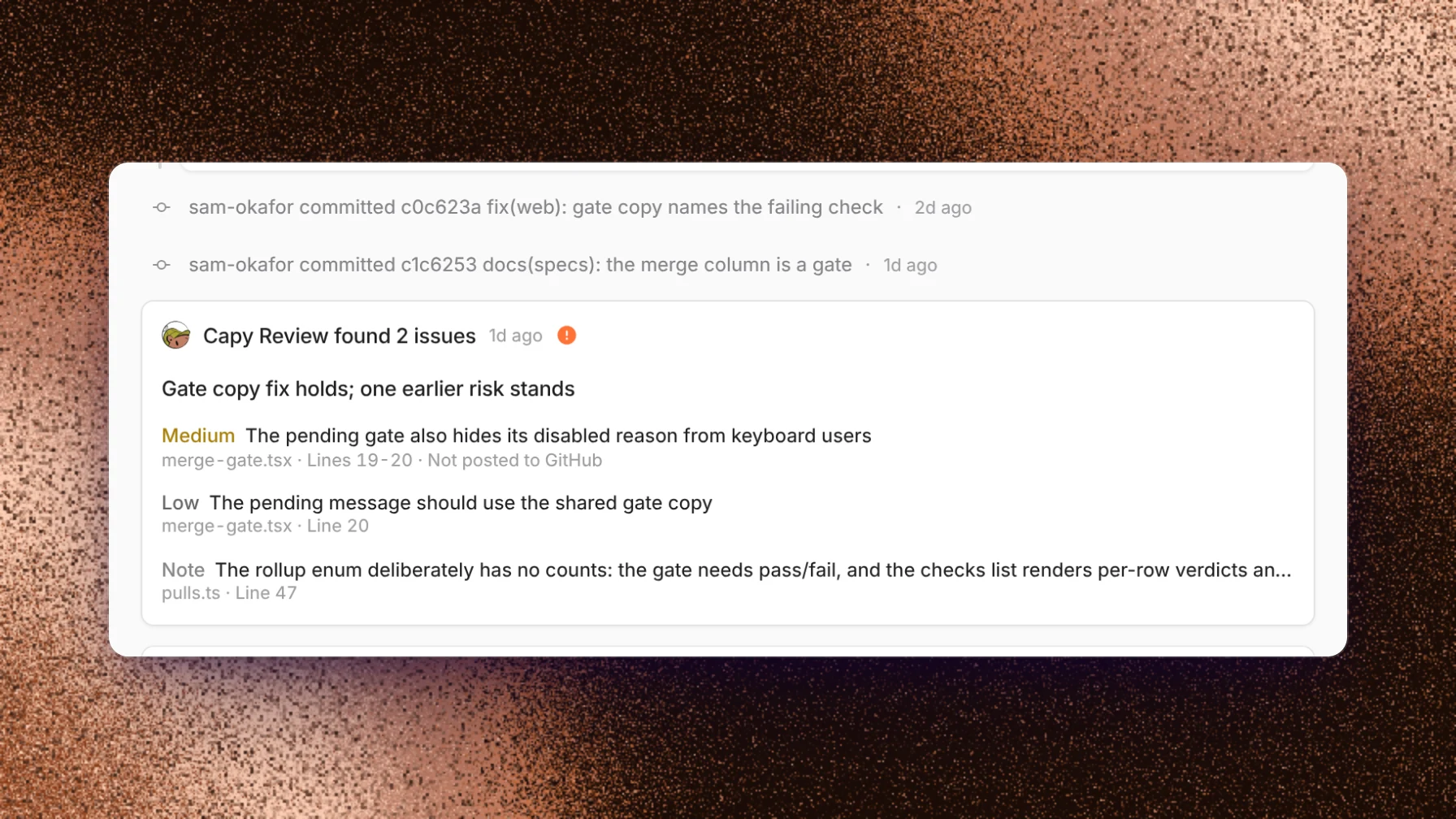
Re-reviews are incremental. The next round looks at what changed since the last reviewed head, with the whole pull request as context. A finding marked irrelevant is never flagged again, and a resolved finding comes back as a new one if the fix didn’t hold.[4]
CodeRabbit can fix findings too. On Essentials and up, its Fix comments apply code changes for the unresolved findings and push a commit to the branch, or open a stacked pull request if you ask for one. You start it from a checkbox on GitHub or by commenting @coderabbitai fix comments.[1]
Capy walks reviewers through each PR in a guide
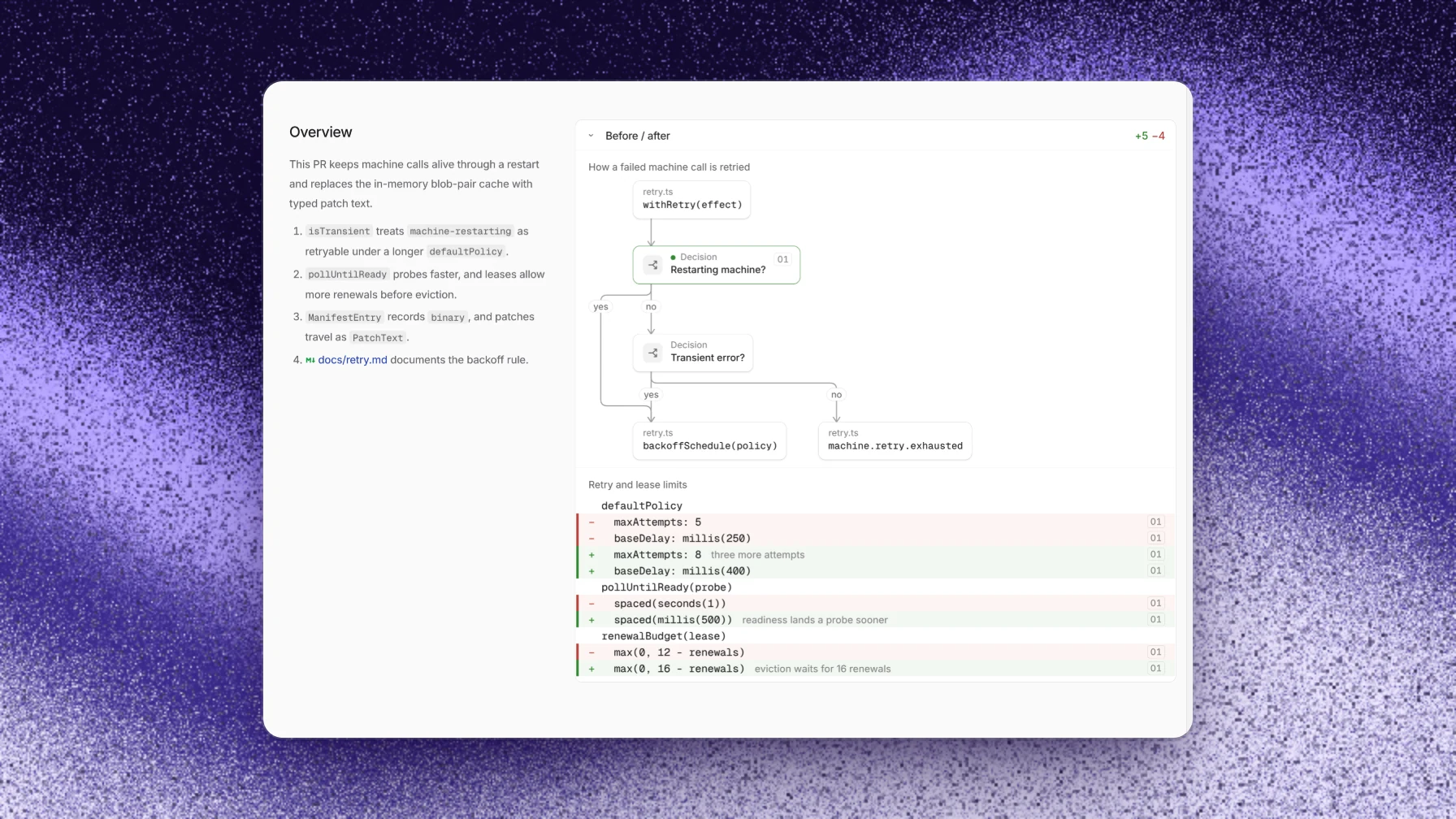
When someone opens a pull request in Capy, it writes a guide for them: what the change does, a diagram of the path it touches before and after, then the change in chapters, each with its own diff.[8]
CodeRabbit writes a summary into the pull request description and a walkthrough comment with a changed-files summary, Mermaid sequence diagrams for changes to how components interact, and a review-effort score from 1 to 5.[11]
Both enforce the rules in your AGENTS.md
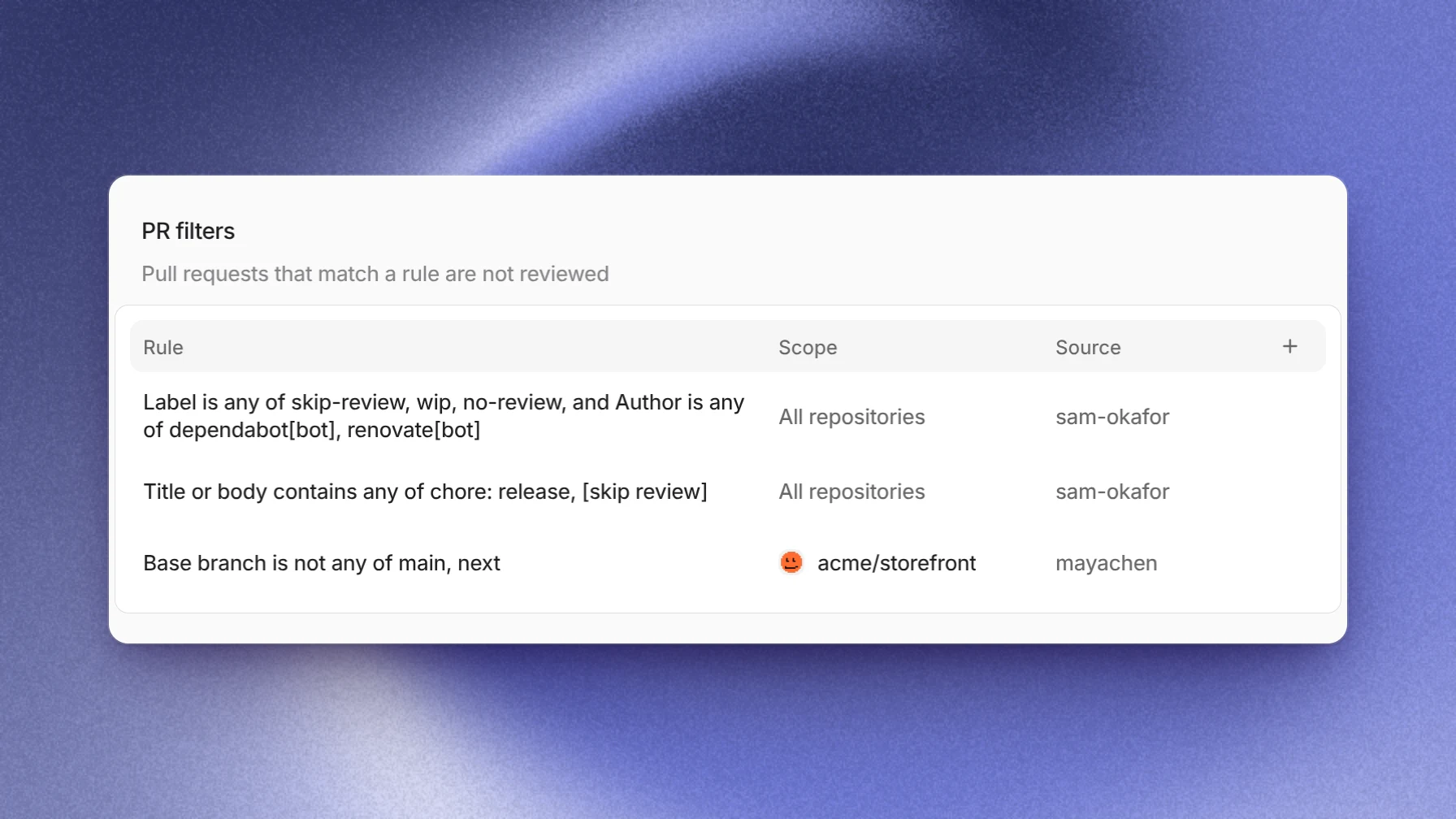
The rules you write for your coding agents in AGENTS.md are the rules both reviewers check.[12] Capy’s review agent enforces the conventions in your AGENTS.md files as findings, on the same footing as logic bugs.[4] Filters skip pull requests by label, author, title or base branch, and ignore paths such as lockfiles.[8]
CodeRabbit picks up guideline files such as AGENTS.md and .cursorrules on its own, keeps its settings in a .coderabbit.yaml at the repository root, and builds Learnings from past pull requests that you can view and edit.[12][13][14]
Pick CodeRabbit for other git hosts, the IDE or self-hosting
CodeRabbit is the better choice when your code or your reviewer can’t live on GitHub.com. If your repositories are on GitLab, Bitbucket, Azure DevOps or GitHub Enterprise Server, CodeRabbit reviews them and Capy doesn’t. The same goes if you want review in the editor or terminal before you push, or if the reviewer has to run inside your own network: CodeRabbit self-hosts for Enterprise customers with 500 or more seats.[7][6]
Open-source projects get CodeRabbit’s Team features with no subscription.[2] Teams that would otherwise wire up their own linters and secret scanners get many of them run inside each CodeRabbit review.[10] And if people write most of your pull requests and you want one price per person, CodeRabbit’s seats are easy to budget.
You can run Capy beside CodeRabbit before you switch
Both can review the same pull requests, so you can compare them on your own code before you turn either off. Install the Capy GitHub App, set a few repositories to review once or on every push in Settings → Review, and leave CodeRabbit on. Each one posts as its own reviewer, so you can read their findings side by side.[4]
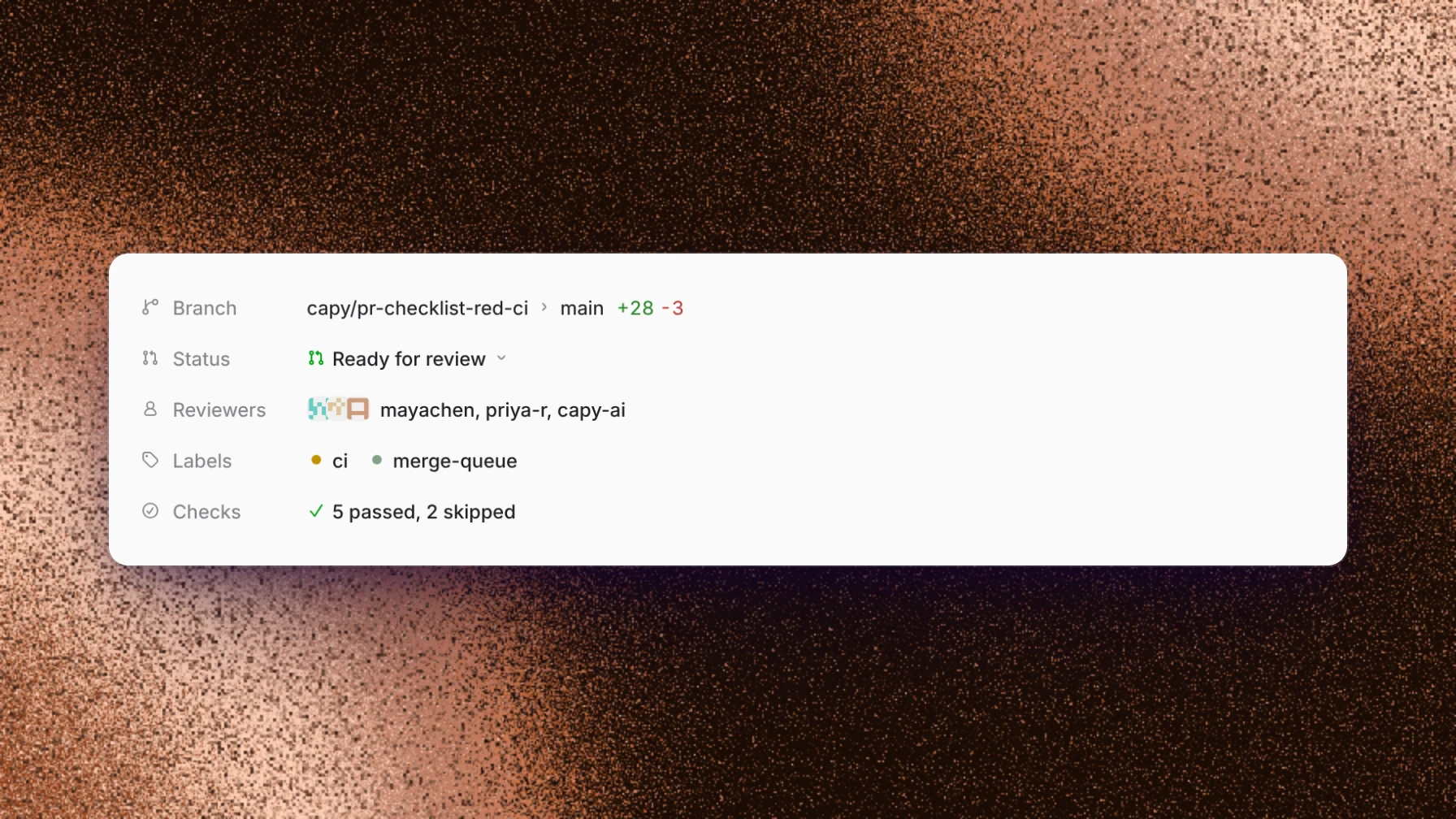
Copy the review instructions from your .coderabbit.yaml into AGENTS.md. CodeRabbit reads AGENTS.md too, so both tools check the same rules while you compare.[12] To ask for a round at any time, comment @capy review on the pull request, with instructions after it if you want them, such as @capy review focus on the migration.[4]
When you’ve seen enough, turn CodeRabbit off for those repositories and set the rest to review in Capy.
Frequently Asked Questions
Is Capy or CodeRabbit better for AI code review?+
Which one catches more bugs?+
Does Capy review GitLab, Bitbucket or Azure DevOps?+
How much does a Capy review cost?+
Can CodeRabbit fix the issues it finds?+
Can I run Capy and CodeRabbit on the same repository?+
When is CodeRabbit the better choice?+
Sources
Checked against each product's own docs and pricing on November 20, 2026.
- 1CodeRabbit docs: Fix comments
- 2CodeRabbit docs: Plans
- 3CodeRabbit docs: Git platforms
- 4Capy docs: Reviews
- 5Capy docs: Models and pricing
- 6CodeRabbit docs: Self-hosted CodeRabbit
- 7CodeRabbit docs: FAQ
- 8Capy: Code review
- 9CodeRabbit docs: Architecture
- 10CodeRabbit docs: Supported tools
- 11CodeRabbit docs: PR walkthroughs
- 12CodeRabbit docs: Code guidelines
- 13CodeRabbit docs: Configure CodeRabbit
- 14CodeRabbit pricing
Spotted something out of date? Tell us at support@capy.ai.
More comparisons
- 1Code alternatives for parallel coding agents1Code’s repository is archived and 1code.dev is offline. How Capy, Conductor, Devin Desktop, Codex, Claude Code desktop and Cursor replace it.
- Aider alternativesSeven coding agents compared with Aider: where each one runs, how each one charges, and when Aider is still the right tool.
- Best AI code review toolsEleven AI pull request reviewers compared on git hosts, automatic reviews, fix loops and pricing, from each product’s own docs.
- Best AI coding agents in 2026: 12 tools comparedWhere twelve hosted and open-source AI coding agents run, how each charges, and when to pick each one.
- Best cloud coding agents in 2026How Capy, Devin, Cursor, Codex Cloud, GitHub Copilot, Kiro and Jules handle cloud machines, parallel work, pull requests, testing and pricing.
- Capy vs AmpWhat Amp is after its Sourcegraph spin-out, how both run parallel cloud agents, and how their pricing, models and pull request loops compare.
- Capy vs CodexWhere each coding agent runs, which models it uses, and how each one bills.
- Capy vs ConductorWhere each one runs your agents, how they handle GitHub pull requests, and how each scales past a single Mac.
- Capy vs DevinHow each one runs teams of coding agents, where they execute, what they cost, and which git hosts and models each supports.
- Capy vs GitHub CopilotWhere each coding agent runs, what happens after a pull request opens, and how each one bills.
- Cursor alternatives for cloud agentsHow Capy, Codex, GitHub Copilot and Devin run cloud coding agents, what each costs, and when to stay with Cursor.
- Roo Code alternativesSeven coding agents that replace Roo Code after its May 2026 shutdown, across VS Code, terminals and cloud machines.
- Capy code reviewHow Capy reviews a pull request, from the first finding to the fix.
Add Capy review to your repos
Turn it on per repository, and the next pull request gets a review on the exact line.


- CodeRabbit covers more git hosts, and Capy reviews GitHub.com
- Capy bills each review, with no seats
- The thread that owns the PR fixes high-severity findings
- Capy walks reviewers through each PR in a guide
- Both enforce the rules in your AGENTS.md
- Pick CodeRabbit for other git hosts, the IDE or self-hosting
- You can run Capy beside CodeRabbit before you switch
- FAQ
- Sources