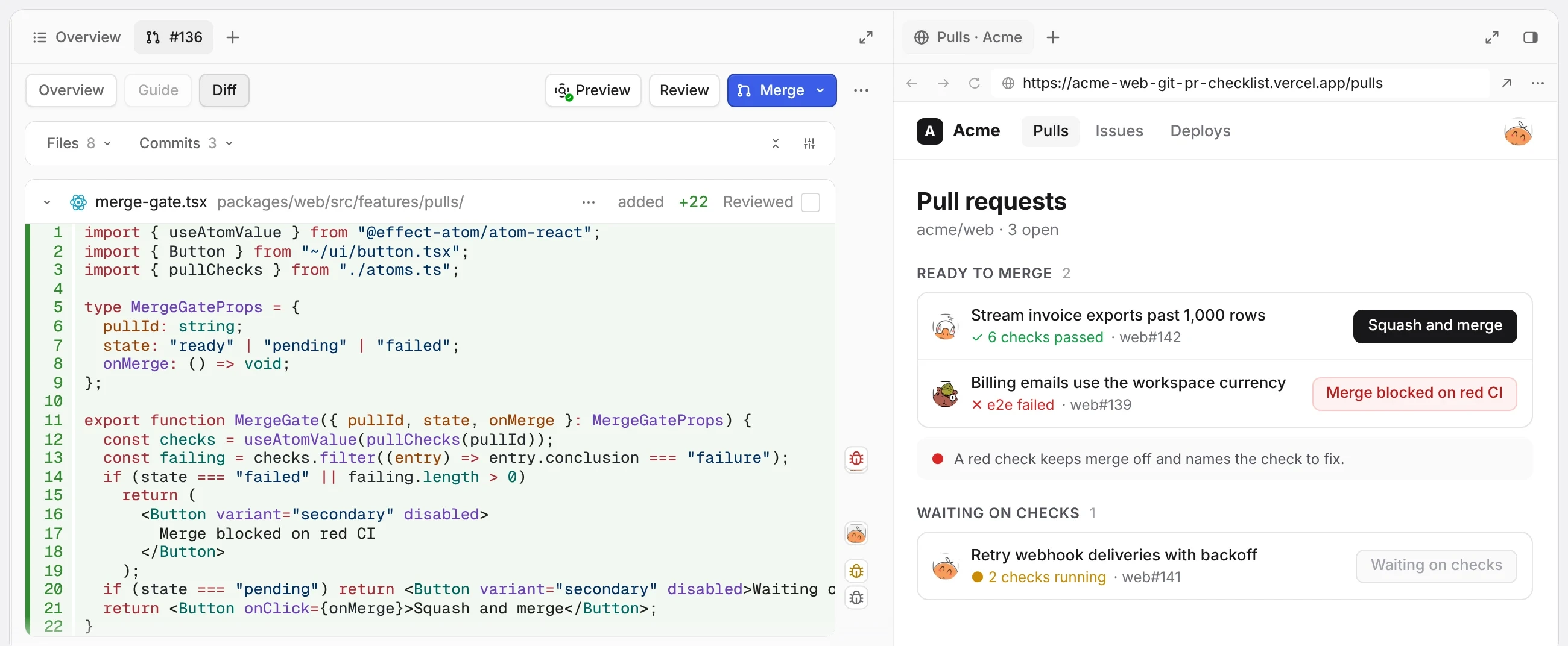





Preview deployments, right in Capy

When Vercel posts a preview URL on a pull request, Capy pins it next to the diff. Review the code, click through to the running app, with nothing to configure.


Autumn
Supermemory
Exa
Warp
Pocket
Melius
Infisical
Krea
Goblins
RunPod
Town
Firecrawl
Aside AI
Taste Labs
Revyl
Finta
Autumn
Supermemory
Exa
Warp
Pocket
Melius
Infisical
Krea
Goblins
RunPod
Town
Firecrawl
Aside AI
Taste Labs
Revyl
Finta
Autumn
Supermemory
Exa
Warp
Pocket
Melius
Infisical
Krea
Goblins
RunPod
Town
Firecrawl
Aside AI
Taste Labs
Revyl
Finta
Autumn
Supermemory
Exa
Warp
Pocket
Melius
Infisical
Krea
Goblins
RunPod
Town
Firecrawl
Aside AI
Taste Labs
Revyl
Finta
A Capy thread split in two: the pull request’s diff with the Preview button’s ready check on the left, and its Vercel preview of the Acme pulls page open in a browser tab on the right
Captain capy

Previews found automatically

Capy picks up each preview from the PR’s comments and its Vercel check, for any Vercel project connected to GitHub. No webhooks, no API keys, nothing to set up.

vercel[bot] comments on a GitHub pull request with a table of projects: acme-web ready and acme-docs building, each with a Preview link

Read from PR comments

Vercel posts each deployment on the pull request. Capy reads the preview link from that comment.
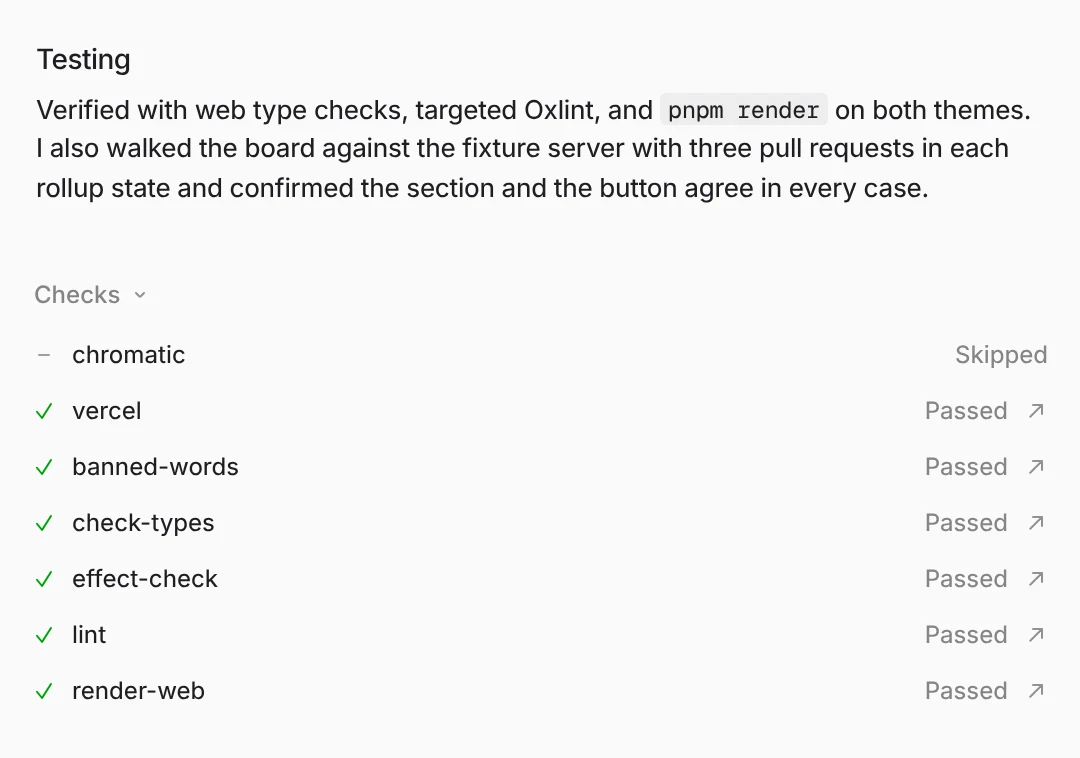
The Checks list on a pull request in Capy, with the vercel check passed beside the rest of CI

Or from the check

Comments turned off? The Vercel check’s details link still leads Capy to the deployment.

Capy in glasses

Review the app, not just the diff

Preview URLs follow the work: live on the machine while Capy codes, on the PR once Vercel deploys the branch.

See Capy code review
A pull request’s activity in Capy, with vercel[bot]’s comment listing acme-web ready with a Preview link and acme-docs building

Deploys in the activity

Vercel’s comment shows in the PR’s activity in Capy, with each project ready or building.
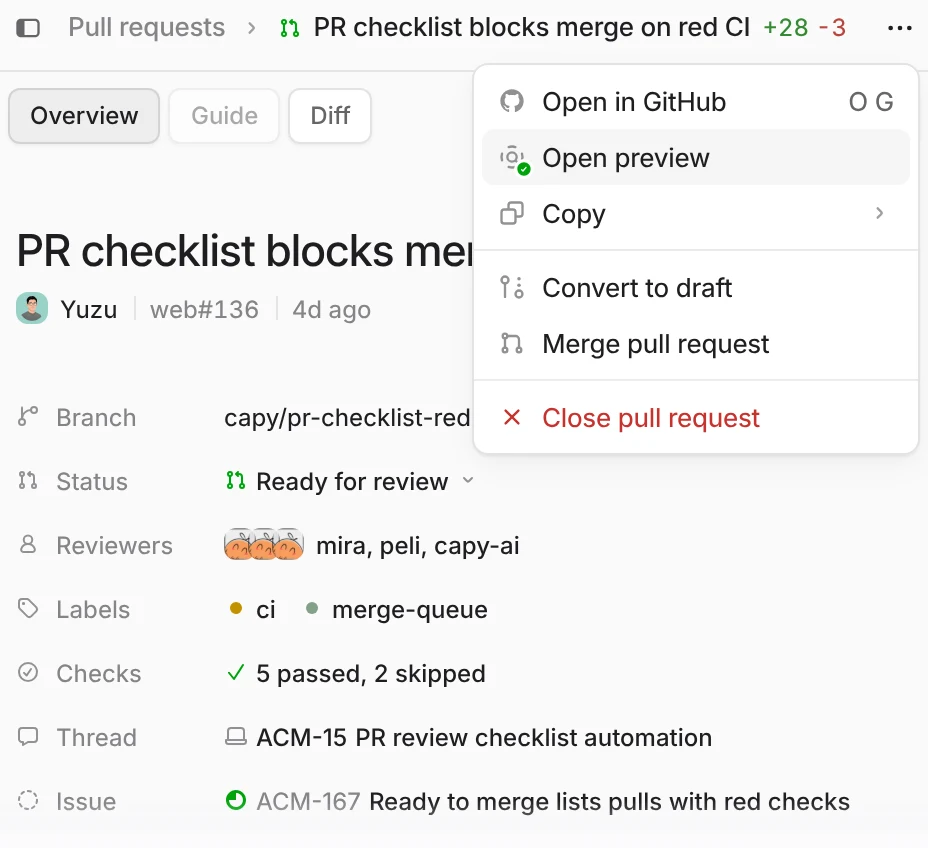
The pull request menu in Capy with Open preview under Open in GitHub

Open from the review

Click Open preview in the PR view to reach the deployment Vercel built for that branch.

Detective capy

Preview before the PR exists

Agents check UI changes live on their machine while they’re still coding, and you watch from the thread. When the PR opens, Vercel deploys the branch and review picks up from there.
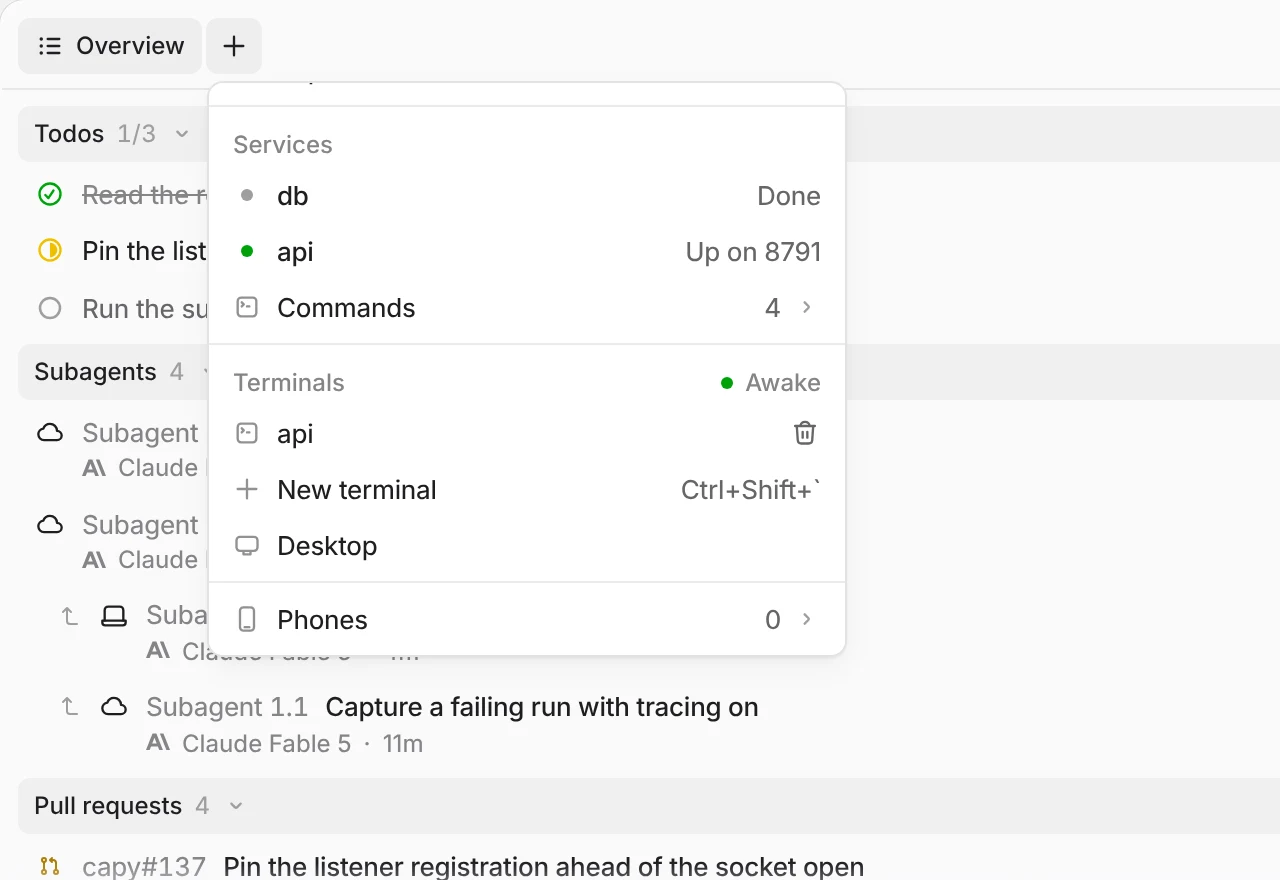
The thread menu in Capy listing the machine’s services, with api up on port 8791, its terminals and Desktop

Services it finds

The thread’s menu lists the services running on the machine and the port each one is up on.
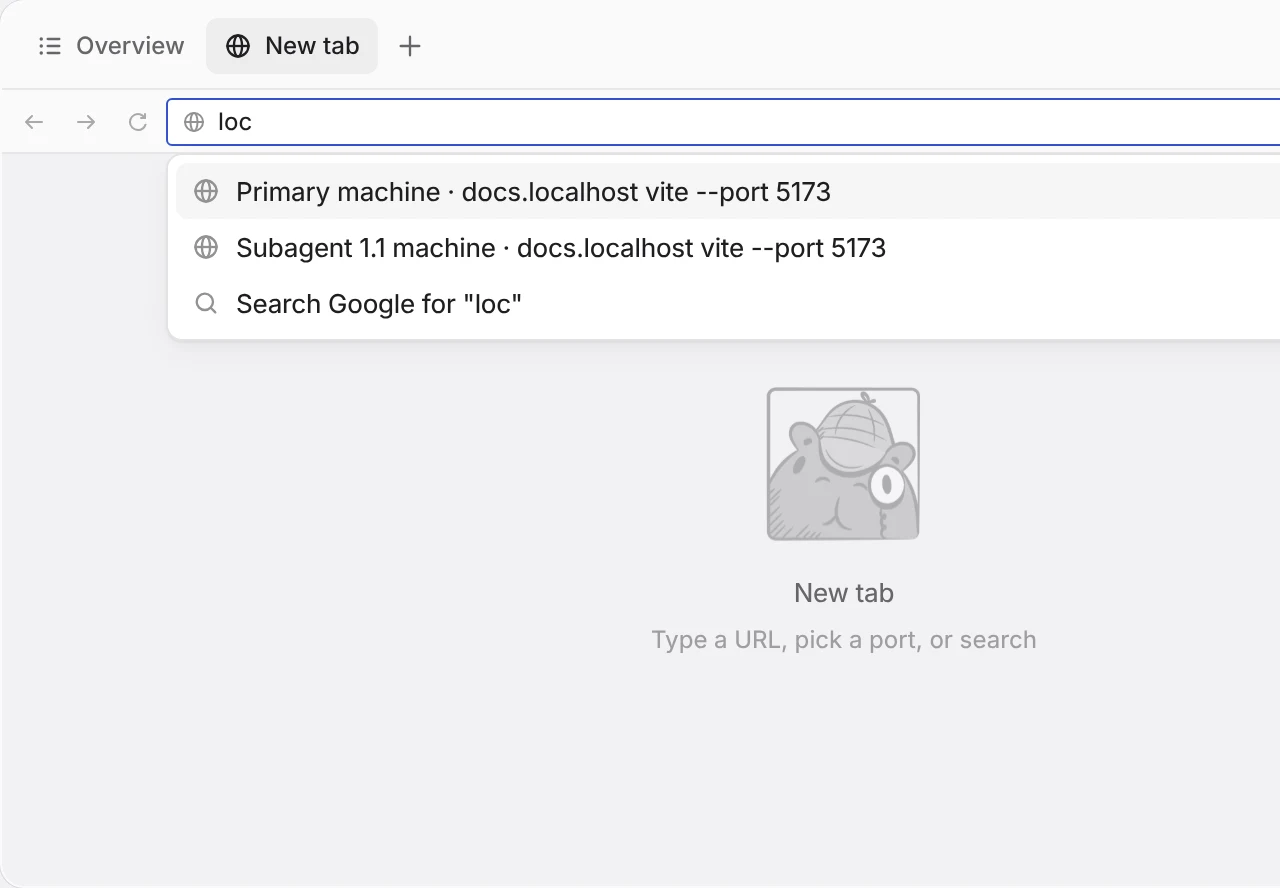
A Browser tab in a Capy thread suggesting the dev servers listening on the primary machine and a subagent’s machine

Open any port

Type in a Browser tab and Capy suggests the ports listening on each machine, subagents included.

FAQ

FAQ

Setup, in-VM previews, and how detection works.

Do I need to configure anything?+
No. If Vercel is connected to your GitHub repo, Capy detects preview URLs from PR comments and the Vercel check on its own. There’s nothing to install or configure.
What about in-VM previews?+
For previewing during a task, before a PR exists, ask the agent to start your app on its machine and open it in the machine’s browser. You watch the machine live from the thread while agents validate changes live.See QA on web and mobile
Does Capy trigger Vercel deployments?+
No. Capy reads the preview URLs Vercel posts on PR comments; your existing Vercel setup handles the deploy pipeline.
Can I see multiple preview URLs?+
Capy surfaces the first matching preview URL per PR, the best-ranked one, and other deployments stay reachable from Vercel. For in-VM previews, the machine can run several services on different ports, and the services menu finds each one.
What if Vercel comments are disabled on my repo?+
Previews still appear. The Vercel check’s details URL and the dashboard inspect page are fallback sources, so the comment isn’t required.
Which link does the Preview button open?+
The button shows the build state, ready, building or failed, and opens the best link Capy found. A link labeled preview beats a bare preview URL, and a stable -git- branch alias beats a per-deployment URL. GitHub-hosted URLs never qualify.
Can teammates open an in-machine preview?+
Yes. Capy can publish a service running on its machine at a live URL, which you open from the thread or from Slack.

Ship changes you’ve already seen live

Previews appear on PRs on their own. Review the code and the live app in one place.